

HOW TO REGISTER

Step 1
Click on REGISTER NOW Button
Go to the competition website and click on the REGISTER NOW button to start your registration process.
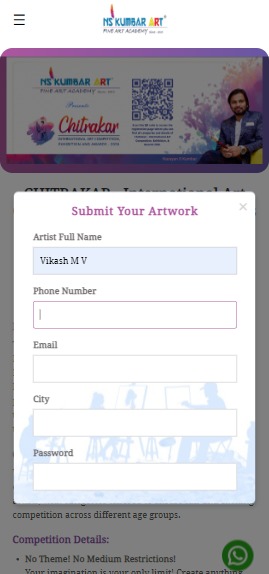
Step 2
Fill Contestant Details & Upload Artwork
Enter all required details and upload profile picture & artwork image for the competition.
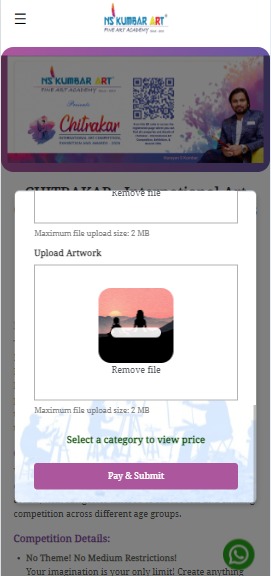
Step 3
Click on PAY & SUBMIT
Once all details and artwork are uploaded, click the PAY & SUBMIT button to proceed to payment.
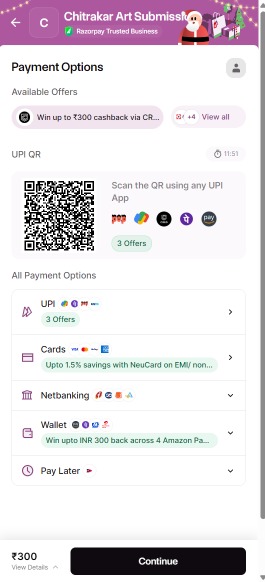
Step 4
Choose Payment Option
Select your preferred payment method and complete the payment process for your registration.
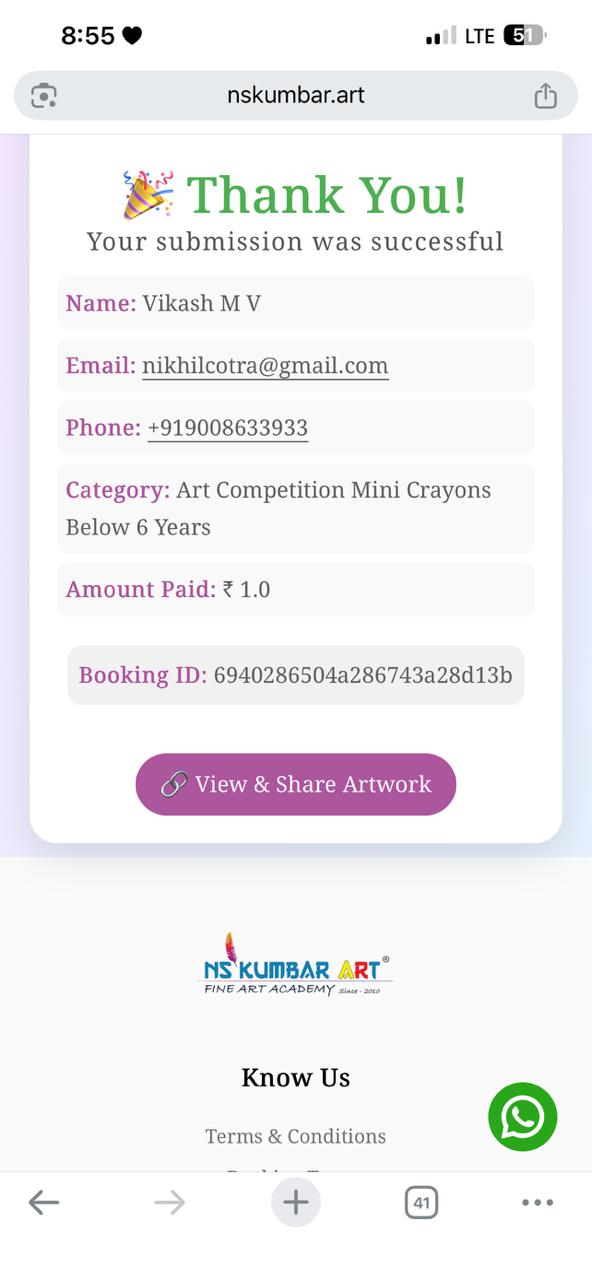
Step 5
Check Confirmation & Share Profile Link
Return to the Chitrakar website payment page to see your confirmation message and get a sharable link to your contestant profile.
Please Note:
- After a successful payment via UPI, Net Banking, or other payment methods, please return to the Chitrakar payment page to view the Thank You message and access your shareable link.
- If the amount has been deducted from your bank account but you do not see the Thank You page when you return to Chitrakar payment page, please don’t worry. In such cases, the amount will be automatically refunded within 5-7 working days.
If you face this issue, kindly contact us on Whataspp at 9663923303 and share the following details so we can assist you promptly:- Screenshot of the payment confirmation
- Full name (used during registration)
- Email ID (used during registration)
- Phone number (used during registration)
